Key Takeaway
A complete site audit examines five areas: technical SEO, on-page elements, content quality, link health, and Core Web Vitals. Fixing critical issues in these areas is the fastest path to improved rankings and organic traffic.
1. What Is a Site Audit and Why You Need One
A site audit (also called an SEO audit) is a comprehensive analysis of your website to identify technical errors, on-page issues, content problems, and link weaknesses that are preventing it from ranking as high as it should in search engines. For background context, see the reference at Google Search Central documentation.
Think of it as a health check-up for your website. Just as a medical exam uncovers underlying conditions before they become serious, a site audit surfaces hidden problems - broken pages, slow load times, missing metadata, duplicate content - before they compound and tank your rankings.
Websites that skip regular audits accumulate technical debt. Outdated redirect chains, orphaned pages, crawl errors, and degraded Core Web Vitals scores are all common issues that build up silently over time. A site audit gives you the full picture so you can prioritize the right fixes.
Find ranking blockers
Identify technical issues preventing pages from being crawled or indexed.
Improve user experience
Slow pages, broken links, and bad mobile UX all hurt engagement and conversions.
Reclaim lost traffic
Uncover pages with declining rankings or missed keyword opportunities.
Stay ahead of competitors
Regular audits ensure your site stays technically sound as Google's algorithm evolves.
2. Technical SEO Checks
Technical SEO is the foundation. If search engine bots cannot crawl and index your pages efficiently, all your content and link-building efforts are wasted. Start every audit here.
Site Speed and Performance
Page speed is a confirmed Google ranking factor. Use Google PageSpeed Insights to measure your Time to First Byte (TTFB), First Contentful Paint (FCP), and Largest Contentful Paint (LCP). Aim for an LCP under 2.5 seconds. Common speed fixes include enabling compression (Gzip/Brotli), optimizing images, leveraging browser caching, and minifying CSS/JS.
Mobile-Friendliness
Google uses mobile-first indexing - it crawls and ranks based on the mobile version of your site. Test every page with Google's Mobile-Friendly Test. Look for touch targets that are too small, text that requires zooming to read, and content wider than the screen. Responsive design is non-negotiable in 2026.
HTTPS and Security
Every page should load over HTTPS. Check for mixed content warnings (HTTP resources loaded on HTTPS pages), expired SSL certificates, and HTTP pages that fail to redirect to HTTPS. Also confirm that the canonical www/non-www version consistently redirects to a single preferred version.
Crawl Errors and Indexability
Check Google Search Console for crawl errors and coverage issues. Common problems include 404 pages from broken internal links, soft 404s (pages returning 200 status but showing "not found" content), pages blocked by robots.txt that should be indexed, and noindex tags applied accidentally to important pages.
Common Technical Issue
Check your robots.txt file carefully. A single misconfigured Disallow rule can accidentally block your entire site from being crawled - this is one of the most costly yet easy-to-miss mistakes.
Additional Technical Checks
- XML sitemap: present, submitted to GSC, contains only indexable URLs
- Redirect chains: avoid chains longer than 1 hop; fix loops
- Canonical tags: all pages have a self-referencing canonical or point to the correct canonical URL
- Structured data: no schema markup errors detected in Rich Results Test
- Hreflang: correctly implemented for multilingual sites
- Pagination: rel=next/prev or standalone canonical per page
3. On-Page SEO Checks
On-page SEO covers everything within the HTML of a page. These elements directly signal to Google what each page is about and influence click-through rates from the SERP.
Title Tags
Every page needs a unique title tag under 60 characters that includes the primary keyword near the beginning. Audit for: missing title tags, duplicate titles across pages, overly long titles that get truncated, and titles that are too generic (e.g., "Home" or "Page 1").
Meta Descriptions
While not a direct ranking factor, meta descriptions influence CTR. Check for: missing meta descriptions, duplicates, descriptions over 160 characters, and descriptions that do not include a compelling reason to click. Each meta description should be unique and accurately reflect the page content.
H1 Tags
Each page should have exactly one H1 tag that includes the primary keyword. Flag pages with: no H1, multiple H1s, or H1s that do not align with the page's target topic. H2 and H3 tags should organize the content logically and include secondary keywords where natural.
Content Quality
Evaluate every indexed page for: thin content (fewer than ~300 words without strong authority), keyword stuffing that reads unnaturally, outdated information that needs refreshing, and missing multimedia (images, video) where they would enhance the user experience.
4. Content Audit
A content audit reviews every piece of content on your site to determine what is working, what needs improvement, and what should be removed or consolidated. It is one of the highest-ROI activities in SEO.
Thin Content
Thin content pages provide little value to users - they are short, vague, or have low informational depth. Google's Helpful Content System explicitly penalizes sites with a high proportion of thin content. Identify pages with high bounce rates, low dwell time, and fewer than 300 words. Either expand these pages significantly or consolidate them into stronger pieces.
Duplicate Content
Duplicate content confuses search engines about which URL to rank and splits link equity. Common sources include URL parameters (e.g., ?sort=price&color=blue), session IDs, printer-friendly page versions, and syndicated content. Resolve with canonical tags, 301 redirects, or noindex tags depending on the situation.
Keyword Cannibalization
Keyword cannibalization occurs when two or more pages on your site compete for the same keyword. This splits ranking signals and can cause both pages to rank lower than one consolidated page would. To identify cannibalization, use Google Search Console's Performance report to find queries where multiple URLs appear, or use a rank tracker to spot URLs that swap positions frequently. The fix is to merge pages, redirect the weaker one, or differentiate them clearly by targeting different search intents.
Content Audit Decision Framework
Keep + Improve
Strong traffic or rankings but needs updates
Merge + Redirect
Two similar pages competing for the same keyword
Noindex
Necessary but low-value pages (tag pages, filters)
Delete + 301
Obsolete, thin, or zero-traffic pages with no backlinks

5. Link Audit
Your link profile - both internal links and incoming backlinks - plays a major role in rankings. A link audit checks for broken links, internal linking gaps, and toxic backlinks that could harm your site.
Broken Links
Broken internal links (404 errors) waste crawl budget, create a poor user experience, and orphan pages from your internal PageRank flow. Run a full crawl to find all internal 404s, then fix each by either updating the link destination or setting up a 301 redirect. Broken external links (outbound 404s) do not directly affect rankings but harm credibility and user trust.
Internal Linking Structure
A strong internal linking structure distributes PageRank from your high-authority pages to pages you want to rank. Audit for: orphan pages (no internal links pointing to them), pages with too few internal links, and important pages buried more than 3 clicks from the homepage. Use descriptive, keyword-rich anchor text for internal links wherever natural.
Toxic Backlinks
Toxic backlinks come from spam sites, link farms, irrelevant directories, and sites with a history of Google penalties. While Google has improved at ignoring rather than penalizing bad links, large volumes of spammy links to your site can trigger a manual action. Analyze your backlink profile regularly. If you identify a significant toxic link pattern, use Google's Disavow Tool as a last resort - only after attempting manual link removal.
6. Core Web Vitals (LCP, INP, CLS)
Core Web Vitals are a set of real-world performance metrics that Google uses as a ranking signal as part of the Page Experience update. They measure loading, interactivity, and visual stability.
LCP - Largest Contentful Paint
Good: Under 2.5 secondsMeasures how long it takes for the largest visible content element (image, video, or text block) to load. Poor LCP is usually caused by slow server response, render-blocking resources, or unoptimized images. Fix by serving images in WebP format, implementing lazy loading, and using a CDN.
INP - Interaction to Next Paint
Good: Under 200 millisecondsReplaced FID in March 2024. INP measures the latency of all user interactions - clicks, taps, and keyboard input - throughout a page session. Poor INP indicates heavy JavaScript execution blocking the main thread. Audit unused JavaScript, break up long tasks, and defer non-critical scripts.
CLS - Cumulative Layout Shift
Good: Under 0.1Measures unexpected layout shifts that occur during page load. A high CLS score means elements jump around, causing users to accidentally click the wrong thing. Common causes include images without declared dimensions, ads that load after content, and dynamically injected content above existing elements.
7. How to Run a Site Audit with Rank Crown
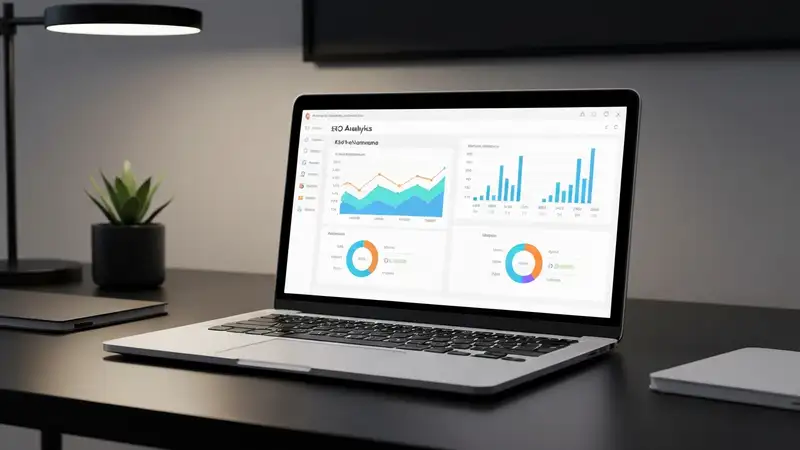
Manually checking every page on your website is impractical at scale. Rank Crown's Site Audit tool automates the entire process - crawling your site, detecting issues, and presenting them in a prioritized dashboard so you know exactly where to focus your effort.
Here is how to run your first audit in Rank Crown:
- 1
Enter your domain
Navigate to the Site Audit tool and enter your website's root domain. Rank Crown will begin crawling immediately.
- 2
Configure crawl settings
Set your crawl depth, user-agent (Googlebot or desktop/mobile browser), and maximum pages to crawl. For most sites, a 3-level deep crawl covering 500–5,000 pages is a good starting point.
- 3
Review your Health Score
Rank Crown calculates an overall site health score from 0–100. Anything below 70 indicates significant issues that need immediate attention.
- 4
Explore issue categories
Issues are grouped into categories: Errors (critical), Warnings (important), and Notices (minor). Start with Errors.
- 5
Export and action the report
Export the full issue list as CSV. Assign issues to your development team with priority levels, then re-crawl after fixes to confirm resolution.
Run Your First Site Audit Free
Rank Crown's Site Audit tool crawls your entire website and surfaces every issue affecting your rankings - broken links, slow pages, missing metadata, and more. Get your site health score in minutes.
Open Site Audit Tool8. Prioritizing Fixes: Critical vs Important vs Minor
A typical site audit returns dozens or hundreds of issues. Not all of them deserve equal attention. Use this framework to prioritize:
Critical - Fix Immediately
- Pages blocked by robots.txt that should be indexed
- Site-wide noindex tag applied accidentally
- HTTP 500 server errors on important pages
- Expired SSL certificate causing HTTPS failure
- Google Search Console manual actions or penalties
- Core Web Vitals all failing (red)
Important - Fix This Sprint
- Missing title tags or meta descriptions
- Broken internal links (404 errors)
- Duplicate content without canonicals
- Missing H1 tags or multiple H1s per page
- LCP or CLS failing Core Web Vitals
- Redirect chains longer than 1 hop
Minor - Backlog / Next Quarter
- Meta descriptions slightly too long
- Low word count on low-traffic pages
- Missing alt text on decorative images
- Broken external outbound links
- Orphan pages with no internal links
9. How Often Should You Run Site Audits?
The right audit frequency depends on the size and activity level of your website. Here are general guidelines:
| Site Type | Recommended Frequency |
|---|---|
| Small blog or brochure site (<50 pages) | Quarterly |
| Medium business site (50–500 pages) | Monthly |
| Large site or e-commerce (500+ pages) | Weekly or continuous crawling |
| After a major redesign or migration | Immediately post-launch |
| After a Google algorithm update | Within 1–2 weeks of the update |
The most effective approach is to set up continuous monitoring rather than point-in-time audits. Tools like Rank Crown's Site Audit can be scheduled to crawl your site automatically so you receive alerts when new issues emerge - allowing you to fix problems before they impact your rankings.
Ready to Audit Your Site?
Rank Crown's Site Audit tool crawls your entire website, identifies every technical and on-page issue, and gives you a clear action plan sorted by priority.
Frequently Asked Questions
How long does a complete site audit take?
For a 1,000-page site, crawling and analysis takes 2-6 hours. Producing the prioritized recommendation report takes another 4-8 hours. Plan a full day for sites under 5,000 pages.
What should I fix first after an audit?
Address indexability issues first (broken redirects, noindex on important pages, robots.txt mistakes). Then fix Core Web Vitals failures on high-traffic pages. Content and link issues come after technical health is stable.
How often should I run a site audit?
Run a comprehensive audit quarterly. Set automated weekly crawls in your audit tool to catch regressions early. After major releases or template changes, audit immediately.
Can I audit a competitor's site?
Yes, with tools like Ahrefs, Semrush, or Rank Crown you can crawl any public site. You won't get GSC data, but you'll see structural patterns, internal linking, and rough Core Web Vitals via Lighthouse field data.
What is the difference between a technical and content audit?
A technical audit covers crawl, indexability, speed, schema, and on-page tags. A content audit reviews topical coverage, internal links, content quality, and search intent match. Both are needed for a complete picture.