Key Takeaways
- Video results appear in over 26% of Google SERPs, making video SEO a critical channel for organic visibility.
- YouTube is the second-largest search engine - optimize titles, descriptions, tags, and thumbnails for discovery.
- Add VideoObject schema markup to every page with embedded video to qualify for rich results in Google.
- Watch time and engagement signals (likes, comments, shares) are the strongest YouTube ranking factors.
Why Video SEO Matters
Video now dominates online content consumption. Cisco projects that video will account for 82% of all internet traffic by 2026, and Google increasingly features video carousels, video snippets, and YouTube results directly in search. If your SEO strategy ignores video, you are leaving significant organic visibility on the table. For background context, see the reference at Google Search Central documentation.
The opportunity is twofold: YouTube itself processes over 500 hours of video uploads per minute and serves as the world's second-largest search engine. Meanwhile, Google shows video results for roughly 26% of all search queries, giving optimized videos a chance to appear on both platforms simultaneously.
For businesses, video SEO compounds over time. A well-optimized tutorial or product demo can generate thousands of monthly views for years, driving brand awareness, leads, and conversions long after publication. Unlike paid ads, the traffic is free once the content is live.
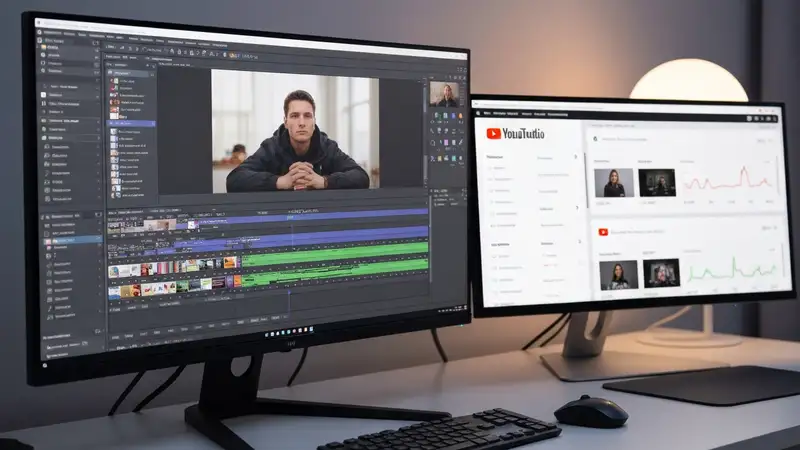
Pro Tip: Use Google Search Console's video indexing report to track how many of your video pages are indexed and which have errors. This is the fastest way to diagnose video visibility issues.
YouTube Optimization
YouTube's algorithm prioritizes two things above all else: click-through rate (CTR) from search and suggested results, and watch time. The videos that rank highest are those that attract clicks and keep viewers engaged. Everything you optimize - from titles to thumbnails to content structure - should serve these two metrics.
Start with your video title. Include your target keyword naturally within the first 60 characters. YouTube truncates titles beyond roughly 70 characters on most devices, so front-load the most important information. Pair this with a description of at least 200 words that includes your primary keyword in the first two sentences, related terms throughout, and timestamps for longer videos.
- Place your primary keyword in the title, description (first 2 sentences), and tags
- Add 15-30 tags mixing broad terms ("SEO tutorial") with specific long-tail phrases ("how to optimize meta descriptions 2026")
- Use chapters (timestamps) to help YouTube understand video sections and show key moments in search
- Add subtitles/closed captions - they improve accessibility, engagement, and keyword indexing
- Create playlists around topic clusters to increase session watch time and channel authority
Use tools like TubeBuddy or VidIQ to research keyword search volume on YouTube specifically. A keyword with high Google search volume may have very different demand on YouTube. Focus on "how to" queries, tutorials, reviews, and comparison content - these formats consistently perform well in YouTube search.
On-Page Video SEO
When embedding videos on your website, the surrounding page content matters just as much as the video itself. Google crawls the text around your video to understand its context. Place your video near the top of the page, surround it with relevant text content, and ensure the page title and H1 match the video topic.
Use a dedicated page for each important video rather than burying multiple videos on a single page. Google typically indexes only the first video it finds on a page, so if you have three product demo videos, create three separate pages. Each page should include a written transcript - this adds hundreds of indexable keywords and improves accessibility.
- Embed only one primary video per page for maximum indexing potential
- Add a full written transcript below the video for keyword relevance and accessibility
- Use lazy loading for video embeds to avoid hurting Core Web Vitals (especially LCP)
- Submit a video sitemap to Google Search Console with thumbnail URL, title, description, and duration

Pro Tip: Use a video thumbnail as a static image with a play button overlay, then load the actual embed on click. This can improve page load speed by 2-4 seconds while preserving the video experience.
Video Schema Markup
VideoObject schema markup tells Google exactly what your video is about and qualifies your pages for rich video results in search - including thumbnails, duration badges, and video carousels. Without schema, Google may still discover your video, but the chances of appearing in video-specific SERP features drop significantly.
At minimum, your VideoObject schema should include: name, description, thumbnailUrl, uploadDate, and contentUrl or embedUrl. For best results, also include duration (ISO 8601 format like PT5M30S) and interactionStatistic for view counts.
Validate your schema using Google's Rich Results Test before publishing. Common mistakes include missing thumbnail URLs, incorrect date formats, and providing an embed URL when Google needs a direct content URL. Use Rank Crown's schema validation tools to audit video markup across your entire site.
Thumbnail Optimization
Your thumbnail is the single biggest factor influencing click-through rate on YouTube. Data from YouTube creators consistently shows that custom thumbnails outperform auto-generated ones by 2-3x in CTR. A good thumbnail stops the scroll and communicates the video's value in under a second.
Design thumbnails at 1280x720 pixels (16:9 ratio) with high contrast, bold text (3-5 words max), and expressive faces or clear product shots. Use contrasting colors that stand out against YouTube's white background. Avoid cluttered designs - the thumbnail must be legible even at 120x68 pixels, which is how it appears in suggested video sidebars.
- Use bold, readable text with no more than 3-5 words on the thumbnail
- Include a human face with an expressive emotion when possible - faces increase CTR by up to 38%
- A/B test thumbnails using YouTube's built-in thumbnail testing feature to find the highest-performing design
- Maintain consistent branding (colors, fonts, layout style) across your channel for recognition
Pro Tip: Your thumbnail and title work as a pair. Never repeat the same information in both - let the thumbnail convey the emotion or visual hook, and let the title provide the specific topic or keyword.
Engagement Signals
YouTube's algorithm heavily weights engagement signals when deciding which videos to rank and recommend. Watch time (total minutes viewed) is the most important metric, followed by audience retention (percentage of video watched), likes, comments, shares, and subscriber conversions. Videos with higher engagement get pushed to more viewers through suggested videos and browse features.
Structure your videos to maximize retention: hook viewers in the first 10 seconds with a compelling preview of what they will learn, use pattern interrupts (visual changes, B-roll, graphics) every 30-60 seconds to maintain attention, and deliver on the promise of your title and thumbnail within the first third of the video.
- Aim for at least 50% average view duration - this signals high-quality content to YouTube's algorithm
- Ask viewers to comment with a specific question (not just "leave a comment") to boost engagement rates
- Use end screens and cards to drive viewers to related videos, increasing session watch time
- Respond to comments within the first 24 hours - early engagement velocity affects algorithmic distribution
Monitor your analytics in YouTube Studio. Focus on the "Audience Retention" graph to identify exact moments where viewers drop off, then edit future videos to avoid those patterns. Track impressions CTR alongside views - if impressions are high but CTR is low, your thumbnail or title needs improvement.
Frequently Asked Questions
What is the main focus of Video SEO?
Video SEO focuses on optimizing video content for both YouTube search and Google's video results. This includes keyword-optimized titles and descriptions, VideoObject schema markup, thumbnail design, engagement metrics (watch time, CTR), and on-page embedding best practices. The goal is to increase visibility across both platforms simultaneously.
How long does it take to see results?
YouTube videos can start ranking within days for low-competition keywords, but competitive terms typically take 2-4 weeks to settle. For Google video results, expect 1-3 weeks after adding proper schema markup and video sitemap. Engagement signals compound over time - a video that gains early traction gets pushed to more viewers, creating a snowball effect.
Do I need expensive tools?
Not at all. YouTube Studio provides free analytics, keyword suggestions, and A/B thumbnail testing. Google Search Console has a dedicated video indexing report. Free tools like TubeBuddy (free tier) and VidIQ help with keyword research. Paid tools like Ahrefs or Rank Crown add competitor video analysis and rank tracking at scale, but you can start effectively with free options alone.
Is this guide suitable for beginners?
Yes. We start with YouTube basics like title and description optimization, then progress to advanced topics like VideoObject schema markup, video sitemap creation, and engagement signal optimization. Whether you are uploading your first video or managing a channel with hundreds of videos, the strategies here apply.
Related Resources
SEO Tool Comparison at a Glance
Choosing the right toolkit depends on your budget and the part of SEO you optimize most often. The table below summarizes how Rank Crown compares to the main alternatives covered across our resources.
| Tool | Starting Price | Free Plan | Best For |
|---|---|---|---|
| Rank Crown | $39/mo | Yes | Focused rank tracking + audits without bloat |
| Ahrefs | $129/mo | Limited | Backlink intelligence and large databases |
| Semrush | $139.95/mo | Limited | All-in-one for agencies combining SEO and PPC |
| Moz Pro | $99/mo | Limited | Beginner-friendly metrics like Domain Authority |
| SE Ranking | $65/mo | No | Budget-friendly tracking with white-label reports |
| Mangools | $29.90/mo | No | Lean keyword research workflow |
Prices verified 2026-05-20 from each vendor's public pricing page. Annual billing typically discounts these figures further.
Ready to Improve Your SEO?
Try Rank Crown's SEO tools to analyze, track, and optimize your website's search performance.
Start Free Trial